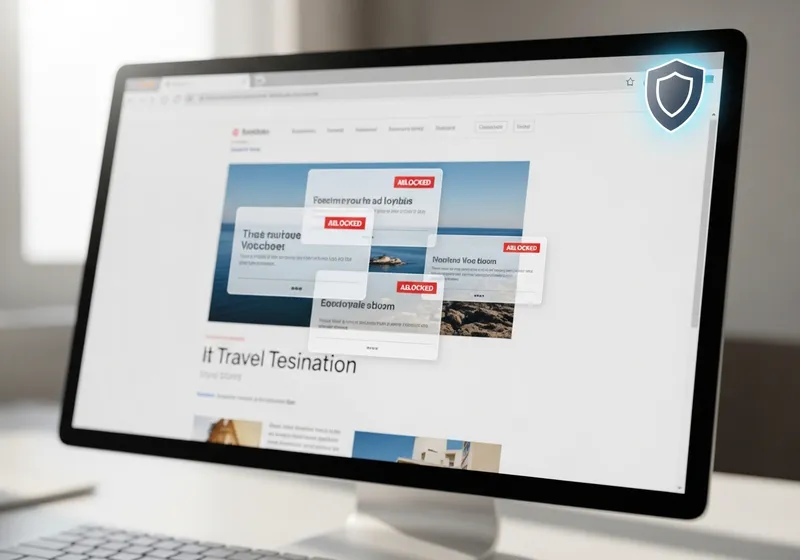
An ad blocker is one of the highest-impact security tools you can install, and it takes about two minutes to set up. The case for using one rests on three things: it cuts off a common delivery route for malware, it blocks much of the tracking that follows you from site to site, and it makes pages load faster on every device you own.
Most people file ads under annoyance rather than risk. That instinct made sense when an ad was just a picture on a page. Modern online ads are different. They are third-party code, selected by an automated auction in the instant a page loads, and injected into sites that never reviewed what is being served alongside their content. That structure is what turns advertising into a genuine security and privacy problem.
This guide walks through the real reasons to use an ad blocker, the honest limits of what one can do, and a short setup plan you can finish tonight without breaking the sites you care about.
An Ad Is Code From a Stranger on a Page You Trust
When you open an article on a mainstream news site, the site supplies the words and the layout. The ads usually come from somewhere else entirely. In the fraction of a second before the page appears, an automated auction decides which advertiser wins each slot, and the winner's content is pulled in from an ad network the site does not control and often cannot inspect.
Those networks resell space through chains of intermediaries, and screening along the chain is uneven. A criminal who buys ad space, directly or through a compromised reseller, gets code delivered on the same trusted page you came to read. This is why "I only visit reputable sites" is weaker protection than it sounds. The site can be perfectly legitimate while the ad slot on it is not.
An ad blocker works by refusing to load requests to known ad and tracker domains. The auction never runs, the stranger's code never arrives, and the page renders with the gaps closed up.
The Security Case: Malvertising
Security researchers call malicious advertising malvertising, and it is an ongoing problem rather than a rare event. New campaigns appear in a constant stream, and they land on legitimate sites as often as shady ones. The common forms are worth recognizing:
- Fake alerts and scareware: An ad takes over the page with a full-screen warning that your device is infected, complete with a phone number to call. The number connects to a scam call center, not to any real support line.
- Forced redirects: The ad silently sends your browser to a phishing page dressed up as a login screen, a package delivery notice, or a prize notification.
- Fake download buttons: On software and file-hosting sites, ads styled as large download buttons sit above the real link and hand you bundled junk or outright malware.
- Exploit attempts: Less common against an updated browser, but malicious ads have been used to probe for unpatched flaws and install malware with no click required.
An ad blocker removes the opportunity by stopping the ad from loading at all. It does not replace a reputable antivirus or regular browser updates, but it quietly closes the door that these attacks walk through.
The Privacy Case: Cutting Off the Tracking Economy
The same infrastructure that serves ads also watches you. Tracking scripts, cookies, and invisible pixels report which pages you read, what you search for, what you almost bought, and roughly where you are located based on your connection. Each signal is small on its own. Combined across the web, they become a detailed profile of your health worries, finances, relationships, and habits, and those profiles are traded by data brokers you have never heard of.
You have seen the visible edge of this. Look at a pair of shoes once and they follow you from site to site for days. The invisible part is larger: profiles built this way can influence the prices you are shown, the offers you receive, and what ends up in a broker's database if that broker is ever breached. Your connection also exposes more than most people expect; you can see what any site or ad network learns from it with our IP checker.
Because most good ad blockers block tracker domains along with ad domains, installing one is the single fastest way to shrink this data trail. It will not erase profiles that already exist, but it stops feeding them.
The Practical Case: Speed, Data, and Battery
Ads are heavy. A single page can call out to a long list of ad and tracking servers, load autoplaying video, and run auction scripts that compete with the actual content for your device's attention. Block all of that and you get:
- Faster pages: Less to download and less script work means articles appear sooner, especially on older machines.
- Lower data use: A real difference if you browse on a capped mobile plan.
- Longer battery life: On ad-heavy sites, the ads can keep your processor busier than the page itself.
- Fewer distractions: No flashing banners or surprise audio while you read.
What an Ad Blocker Will Not Do
Honest limits matter, because a tool you overtrust can hurt you. Keep these in mind:
- It is not antivirus. An ad blocker prevents many web-delivered attacks, but it cannot find or remove malware that is already on your device.
- It does not stop phishing in your inbox. Scam emails and texts arrive through a different door. Treat links in unexpected messages with the same suspicion as always.
- It does not make you anonymous. Sites still see your IP address, and anything you log into knows exactly who you are.
- Some sites will break or object. A few pages malfunction with blocking on, and some display a wall asking you to turn it off. Every good blocker has a per-site off switch for exactly this.
- A bad blocker is worse than none. Some products marketed as blockers collect and sell the very browsing history you were trying to protect. Choosing carefully is the whole game, which brings us to the next section.
How to Choose a Trustworthy Ad Blocker
The good news is that the best ad blockers are free, and free is normal in this category rather than a warning sign. Use these filters when you pick one:
- Prefer open source. When the code is public, researchers can verify that the blocker is not phoning home with your history.
- Install only from your browser's official extension store or the app store on your phone. Never install a blocker from a popup or a random download link.
- Watch for copycats. Popular blockers attract imitators with nearly identical names and logos. Check the developer name and the number of reviews before installing.
- Skim the privacy policy. You are looking for one sentence: whether the product collects your browsing data. If the policy is vague about it, move on.
On your phone, the setup differs by platform. On an iPhone, content blockers work through the built-in browser: install one from the app store, then turn it on under Settings, then Apps, then Safari, then Extensions. On Android, the simplest routes are a browser with blocking built in, or the Private DNS option under Settings, then Network and internet, then Private DNS, pointed at a filtering DNS provider. Both approaches block ads without needing an app to watch your traffic.
Blocking Ads Without Starving Sites You Love
There is a fair objection to all of this: ads pay for most of the free web, and the small independent sites you enjoy feel the loss more than the giants do. You do not have to choose between safety and supporting them.
The practical middle ground is to block by default and allow deliberately. Keep blocking on everywhere, then use the per-site allow button for a handful of sites you trust and want to fund, or support them directly through a subscription or membership. Blocking everything by default protects you from the ad slots you cannot vet, which is nearly all of them.
Where to Start Tonight
You can go from unprotected to covered in one short session:
- Pick a well-reviewed open source blocker and install it from your browser's official extension store. It should take under five minutes.
- Confirm it is actually working with our free ad blocker test, which shows you what is being blocked and what still gets through.
- Set up your phone using the iPhone or Android steps above, since mobile browsing is where scareware popups hit hardest.
- Allowlist two or three sites you trust and want to support, and consider a subscription for your favorite.
- Update your browser while you are at it. An updated browser plus an ad blocker shuts down most web-delivered attacks before they start.
- Remember the rule about alerts: no legitimate warning ever asks you to call a phone number from a popup. Close the tab and move on.
None of this requires technical skill or money. It is a one-evening change that makes every browsing session after it faster, quieter, and safer.