The fastest way to check if your data has been leaked is to search a breach database for your email address. Free lookup services collect records from publicly known breaches and tell you in seconds which incidents included your information and what was exposed alongside it.
Finding your address in one of those databases is normal, not a sign you did anything wrong. Companies you trusted with your details get hacked, and the stolen data is traded, merged, and reposted for years afterward. What matters is finding out early and responding calmly.
This guide covers every practical way to check: breach lookup services, the tools already built into your phone and browser, and the warning signs that your information is being actively used. It also explains what to do about whatever you find, step by step.
Start With a Breach Lookup Service
The best known breach database is Have I Been Pwned, a free service maintained by a respected security researcher. It indexes data from breaches that have become public, so you can see exactly which incidents included your email address.
- Go to haveibeenpwned.com and enter the email address you use most often.
- Review the results. Each entry names the breached service, the approximate date, and the types of data exposed, such as passwords, phone numbers, or physical addresses.
- Repeat the search for older addresses, work addresses, and any aliases you use for signups.
- Subscribe to the free notification service so you get an alert if your address shows up in a future breach.
You can run the same kind of search with our free email breach checker, which looks your address up against known breach data and shows what it finds. Checking takes under a minute, and running it alongside Have I Been Pwned gives you broader coverage, since no single database catches everything.
Check Your Passwords, Not Just Your Email
An email lookup tells you which accounts were caught in a breach. A password check answers a different question: has this exact password ever appeared in leaked data, from any account, anywhere.
That distinction matters because attackers feed leaked password lists into automated tools that try them against banking sites, email providers, and shopping accounts. The technique is called credential stuffing, and it works because so many people reuse the same password across sites. If a password you still use has ever leaked, treat it as burned, even if it looks strong.
Our password breach checker tells you whether a password appears in known leaks. Reputable checkers never transmit the password you type. It is converted to a scrambled fingerprint on your device, and only a fragment of that fingerprint is compared against the breach database, so the check itself cannot expose you.
Use the Checks Built Into Your Phone and Browser
Your devices already watch for leaked credentials. The results are sitting in your settings right now.
On an iPhone, open Settings and tap Passwords (on newer versions of iOS, open the dedicated Passwords app instead), then look for Security Recommendations. It flags saved passwords that have appeared in known leaks, along with ones that are reused or easy to guess.
On Android, open Settings and tap Passwords & accounts, then run the password checkup on your saved logins. The exact wording shifts between manufacturers, but every recent version includes a checkup screen that flags compromised passwords.
Most desktop browsers do the same for passwords saved in the browser. Look in your browser's settings under the passwords or privacy section for a checkup or safety check feature. Password managers such as Bitwarden and 1Password go further, with built-in reports that compare your stored logins against breach data on an ongoing basis.
Warning Signs Your Data Is Already Circulating
Lookup tools only cover breaches that have been discovered and made public. Some leaks are sold quietly instead. These signals suggest your information is out there even when no database says so yet:
- Password reset emails you did not request. Someone is testing whether they can get into your account.
- Two-factor codes arriving out of nowhere. An attacker already has your password and is stuck at the second step.
- Phishing that quotes real details, such as an old password, your home address, or a service you genuinely use. That information came from a leak.
- Being locked out of an account you are certain you have the right password for.
- Friends receiving strange messages from you over email or social media.
- Charges, letters, or credit inquiries tied to accounts you never opened.
Any one of these alone can be innocent. Several together are a strong signal to change your key passwords and review your accounts the same day.
Match Your Response to What Was Exposed
Breach notifications lump very different situations together. A leak of your email address alone calls for mild caution. A leak of your Social Security number calls for immediate action. Read the breach details carefully and respond to the specific types of data involved.
- Email address only: expect more spam and sharper phishing. Be extra skeptical of messages that mention the breached service by name.
- Passwords: change them right away on the breached site and anywhere else you reused them.
- Phone number: watch for scam texts and calls, and ask your carrier to add a port-out PIN so nobody can hijack your number with a SIM swap.
- Card numbers: review recent statements and ask your bank for a replacement card.
- Social Security number or government ID: freeze your credit, as covered below.
Old breaches still count. Leaked data does not expire, and a password stolen years back will happily be tried against your accounts today.
Locking Down the Accounts That Matter Most
Once you know where you stand, spend your effort where it counts. Your email account comes first, because whoever controls it can reset the password on almost everything else you own.
- Change the password on any breached account to something long, random, and unique. A password manager makes this painless and remembers the results for you.
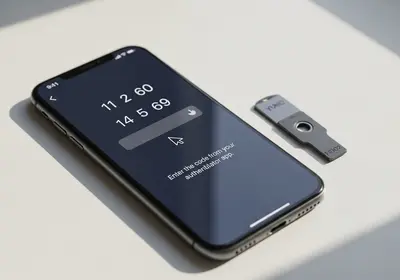
- Turn on two-factor authentication for your email account, your bank, and anything that stores payment details. An authenticator app is stronger than codes sent by text message.
- In your email account's security settings, confirm the recovery phone and recovery email are actually yours, check for forwarding rules you did not create, and sign out any device you do not recognize.
- Review the active sessions list on your social media accounts and end anything unfamiliar.
If Financial or Identity Data Leaked
In the United States, the strongest single move after a leak of your Social Security number is a credit freeze. It blocks new accounts from being opened in your name, it is free, and it does not affect your existing cards or your credit score. You place it separately with each of the major bureaus: Equifax, Experian, and TransUnion.
A fraud alert is a lighter option that tells lenders to verify your identity before extending credit. If someone has already opened accounts in your name, report it at IdentityTheft.gov, which walks you through a recovery plan and generates the paperwork to go with it.
For leaked card numbers, call the number on the back of your card and ask for a replacement. Banks handle this constantly and would rather reissue a card than dispute fraud later. If a breached company offers free credit monitoring, take it. It costs you nothing and adds another set of eyes.
Where to Start Tonight
You can get through the essentials in a single sitting. Work down this list in order:
- Run your main email address through a breach lookup and note which of your accounts appear.
- Change the password on every breached account, starting with your email account itself.
- Turn on two-factor authentication for email and banking while you are in those settings.
- Run your phone's built-in password checkup and replace anything flagged as leaked or reused.
- Subscribe to breach notifications so the next incident comes to you instead of waiting to be discovered.
- Set a reminder to repeat the lookup every few months, because new breaches surface constantly.
You cannot stop companies from losing your data. You can make sure that when one does, the damage stops at a single account instead of spreading through everything you have online.