Phishing is a scam in which an attacker impersonates someone you trust, such as your bank, a delivery service, or a coworker, to trick you into handing over something valuable. That might be a password, a card number, a verification code, or simply a click on a link that installs malware. The name is a play on fishing: the scammer casts a baited hook and waits for someone to bite.
What makes phishing different from most online crime is that it does not attack your computer first. It attacks your attention. Every app on your phone can be fully patched and a well-crafted phishing message will still work, because the weak point it targets is a human habit. You see a familiar logo, you feel a jolt of urgency, and you click.
The good news is that phishing is learnable. Almost every attack, from the clumsiest bulk spam to the most carefully tailored con, follows the same basic playbook. Once you can see that playbook, the messages stop looking like your bank and start looking like what they are.
How a phishing attack works
Nearly every phishing message has three parts. First comes the pretext, the story that explains why you are being contacted: your package could not be delivered, your account shows suspicious activity, your boss needs gift cards for a client. Second comes the pressure, a reason you must act right now: the account closes tonight, the invoice is overdue, the boss is walking into a meeting. Third comes the ask, the single action the whole message is built around: click this link, open this attachment, reply with a code, call this number.
The link usually leads to a copy of a real login page. It can look pixel-perfect because the scammer simply cloned the genuine site. You type your email address and password, the fake page quietly forwards them to the attacker, and you are often redirected to the real site afterward so nothing feels wrong. Many people do not learn they were phished until days later, when the account starts sending spam or money moves.
Some attacks skip the fake page entirely and go after verification codes. The scammer already has your password from an old data breach, starts a login on the real site, then calls or texts you pretending to be the fraud department and asks you to read back the code that was just sent to your phone. Handing over that code hands over the account. No legitimate company will ever ask you to read a login code to them.
The most common types of phishing
The technique adapts to whatever channel you are on. The names change, but the playbook stays the same.
- Email phishing: the classic form. Bulk messages dressed up as banks, streaming services, cloud storage providers, or government agencies, sent to enormous lists in the hope that a few recipients bite.
- Smishing: phishing by text message. Fake toll charges, missed deliveries, and bank fraud alerts are the current favorites, because texts feel personal and most people read them within minutes.
- Vishing: phishing by voice call. A caller claims to be your bank's fraud team, tech support, or a tax agency. Caller ID can be spoofed, so a familiar number on the screen proves nothing.
- Spear phishing: a targeted attack aimed at you specifically, using your name, your employer, or details scraped from your social media. Rarer than bulk phishing, and far more convincing.
- Quishing: phishing through QR codes on posters, parking meters, restaurant tables, or inside email attachments. The malicious address hides inside an image, which helps it slip past link filters.
- Clone phishing: a real email you already received, copied and resent with the legitimate link or attachment swapped for a malicious one. It works because the message has history on its side.
Warning signs that give a phish away
No single sign is proof on its own, but two or three together should stop your hand before it clicks.
- Manufactured urgency: deadlines measured in hours, threats of closure, fines, or arrest. Real institutions send reminders. Scammers send ultimatums.
- A mismatched sender: the display name says your bank, but the actual address behind it is a jumble of letters at an unrelated domain. Tap or click the sender's name to reveal it.
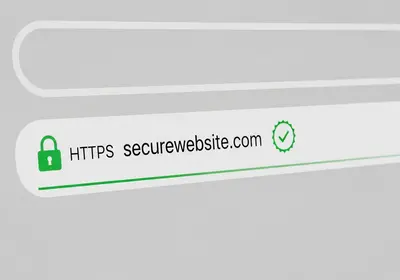
- Lookalike links: a domain that is almost right, with a swapped letter, an added word, or a zero standing in for the letter o. Read domains right to left: in "yourbank.example.com", the site actually belongs to example.com, not your bank.
- Generic greetings: "Dear Customer" or "Dear Account Holder" from a company that has your name on file.
- Unexpected attachments: invoices you never asked for, shared documents you were not expecting, and especially compressed files or anything ending in .exe or .html.
- Requests no real company makes: your full password, a one-time login code, remote access to your computer, or payment by gift card or wire transfer.
Before you click any link, check where it really goes. On a computer, hover your cursor over it and read the address that appears in the bottom corner of your browser. On a phone, press and hold the link to preview the destination. If the address does not match the company exactly, close the message.
Why smart people still fall for it
Falling for phishing has little to do with intelligence and a lot to do with timing. The message that catches you is the one that arrives while you are distracted: the fake delivery notice on the day you are actually expecting a package, the fake invoice during a busy workweek, the fake fraud alert at midnight when you are half asleep and worried.
The old advice to watch for bad spelling and clumsy grammar is also wearing out. Scammers now use the same writing tools everyone else does, so a modern phishing email can be fluent, polite, and formatted exactly like the real thing. Treat clean writing as neutral, not as evidence of legitimacy.
That is why the strongest defense is a rule, not a feeling: never act on the message itself. If your bank says there is a problem, close the email and log in by typing the address yourself or using the official app. If a caller claims to be the fraud department, hang up and call the number printed on the back of your card. A real problem will still be there through the official channel. A fake one evaporates.
What to do if you already clicked
Acting quickly matters far more than feeling embarrassed. Work through these steps in order.
- If you entered a password, change it immediately on the real site, and change it anywhere else you reused it. Reused passwords are how one phished account becomes five.
- Turn on two-factor authentication for that account if it was off. This locks the door even if the attacker still has the old key.
- Check the account's settings for anything the attacker changed: mail forwarding rules, new recovery addresses, or unfamiliar connected devices.
- If you entered card or bank details, call your bank or card issuer right away and ask them to block the card and watch for fraud.
- If you downloaded a file, disconnect from the internet and run a full scan. On Windows, open the Windows Security app, choose Virus & threat protection, then run a scan. On a Mac or phone, a reputable antivirus from the official app store can do the same job.
- Report the message using the report phishing button in your email account, and forward suspicious texts to 7726, the spam reporting number used by major US carriers.
How to make yourself a harder target
You cannot stop phishing messages from arriving, but you can make it nearly impossible for them to pay off.
- Use a unique password for every account, stored in a password manager such as Bitwarden or 1Password. A password generator makes this painless, and it means a phished password opens exactly one door instead of all of them.
- Turn on two-factor authentication everywhere it is offered, starting with email and banking. An authenticator app is stronger than codes sent by text.
- Filter the noise. On iPhone, go to Settings, then Messages, and turn on Filter Unknown Senders. On Android, open your messaging app, tap a suspicious conversation, and choose Block and report spam.
- Keep your phone, computer, and browser updated. Updates ship the newest phishing and malware protections, and they close the holes that malicious attachments rely on.
- Know what attackers already know. Phishing lists are built from old data breaches. A quick email breach check shows whether your address is circulating, which is a strong hint to expect more convincing scams aimed at you.
A ten-minute checkup for tonight
You do not need to do everything at once. These five steps cover most of the risk and fit into a single evening.
- Turn on two-factor authentication for your main email account. Email is the master key, since password resets for everything else flow through it.
- Change your email password if it is reused anywhere else, and let a password manager remember the new one.
- Turn on Filter Unknown Senders on your iPhone, or spam protection in your Android messaging app.
- Check your email address against known breaches so you know whether targeted scams are likely.
- Pick your verification habit now, while you are calm: never act on the message, always go to the site or app yourself. Deciding in advance is what saves you at midnight when the fake fraud alert arrives.