If one of your accounts has been hacked, the order you do things in matters more than any single step. Your goals for the first hour are simple: force the attacker out, lock the door behind them, and then find out what they touched. Work through this guide from top to bottom and you will cover all three.
One thing before you start. If the compromised account is your email account, fix it first, even if the suspicious activity showed up somewhere else. Almost every other account you own sends its password resets to that inbox, so whoever controls your email can quietly take over everything else at their own pace.
None of this requires technical skill. Every step happens inside ordinary account settings, and most take only a few minutes.
Make sure the account is really compromised
Sometimes it is obvious: you are locked out, or friends tell you they received strange messages from you. Other times the signs are quieter. Any of these points to a break-in:
- Password reset or "new sign-in" alerts you did not trigger.
- Logins from cities or devices you do not recognize in the account's activity log.
- Messages in your sent folder that you never wrote, or posts you never made.
- Changed profile details: a new recovery email, phone number, or display name.
- Purchases, transfers, or charges you did not authorize.
Be careful with the opposite case too. An email that screams "your account has been hacked, click here to secure it" is often the attack itself. Never use the link in a message like that. Type the site's address into your browser yourself, sign in, and check the account's own security page for real alerts.
Lock the attacker out
These three moves, in this order, evict the intruder and keep them from walking straight back in.
Change the password
If you can still sign in, change the password immediately, and do it from a device you trust. Pick something long and completely new, not a variation of the old one. Attackers try obvious tweaks first, like the same word with a different number on the end. A password manager such as Bitwarden or 1Password can create and remember a strong one for you, or you can build one with our free password generator.
If you are locked out, go straight to the service's account recovery page, usually labeled "Forgot password" or "Need help signing in." Many large services also have a dedicated flow for compromised accounts, so look for wording like "my account was hacked." Run recovery from a device and location you have used with that account before. Recovery systems weigh familiarity, and a request from your usual laptop on your home network is far more likely to succeed than one from a borrowed phone.
Sign out of every session
Changing the password does not always end sessions that are already open, so the attacker may still be sitting inside the account. Find the setting called something like "sign out of all devices" or "where you're logged in," usually under Security or Devices, and end every session except the one you are using.
Turn on two-factor authentication
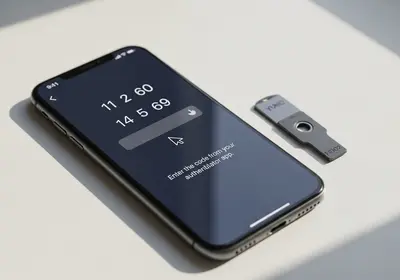
Two-factor authentication (2FA) means a stolen password is no longer enough to sign in on its own. Turn it on in the account's security settings. An authenticator app is the strongest everyday option. Codes sent by text message are weaker, because phone numbers can be hijacked, but they are still far better than nothing. If the service offers backup codes, save them in your password manager or print them and keep the page somewhere safe.
Undo what the attacker changed
Attackers who expect to be evicted leave themselves ways back in. Go through the account's settings line by line and reverse anything you did not set up yourself:
- Recovery email and phone number. If either was swapped for the attacker's, they can reset your new password whenever they like. Fix these first.
- Forwarding rules and filters. In email accounts especially, look for rules that copy your mail to an outside address or silently delete security alerts.
- Connected apps and devices. Remove any third-party app, browser extension, or device you do not recognize.
- Security questions. If the service still uses them, reset the answers.
- Payment details and addresses. Check saved cards, shipping addresses, and any pending orders or transfers.
While you are in there, skim the sent folder, the trash, and your posting history. This tells you who the attacker contacted and what they were after, which shapes everything you do next.
If the hacked account is your email, treat it as the master key
Your inbox is where password resets for banking, shopping, and social accounts arrive, which is why attackers value it above everything else. After you change the password and turn on 2FA, give it two extra checks.
First, open the forwarding and filter settings and read every rule. A common trick is a quiet filter that forwards messages from your bank to the attacker and then deletes them, so you never see a thing. Second, search your inbox and trash for recent password reset emails you did not request. Each one names an account the attacker tried to break into, and every account on that list needs a password check today.
Protect your other accounts and warn your contacts
If your old password did double duty on other sites, treat every one of those accounts as exposed. Change them now, starting with anything that touches money, then shopping and social media. This is also the natural moment to let a password manager end password reuse for good.
It is worth checking whether your address appears in known data breaches, because attackers often start with leaked credential lists. Our email breach checker shows which breaches include your email address, and Have I Been Pwned offers a similar lookup.
Finally, warn your people. If the account can send messages, the attacker may have pushed scam links to your contacts, and those messages carry your name and your credibility. A short note is enough: "My account was hacked. Ignore any odd links or money requests from me." Send it from a channel you know is clean.
Check the device you sign in from
Passwords are usually stolen in one of three ways: a phishing page, a database leaked from some other site, or malware on your own device. That last one matters here, because if a keylogger is running on your computer, every new password you type is captured the moment you set it.
So before you fully trust the machine again, scan it. On Windows, open the Windows Security app from the Start menu, choose Virus & threat protection, and run a full scan rather than a quick one. A reputable antivirus can add a second opinion if you want one.
Phones are less likely to carry traditional malware, but check anyway. On an iPhone, go to Settings, then Privacy & Security, then Safety Check to review what you are sharing and which apps have access. Also look under Settings, then General, then VPN & Device Management, and remove any configuration profile you never installed. On Android, uninstall apps you do not remember adding and stick to the app store on your phone for anything new. On every device, install pending system and browser updates, since those patches close the holes malware slips through.
If money or your identity is involved
When the damage goes beyond the account itself, bring in the institutions built for this.
- Fraudulent charges. Call the number on the back of your card, dispute the charges, and ask for a replacement card. Banks handle this constantly, and the process is routine.
- Identity theft. In the United States, report it at identitytheft.gov, the Federal Trade Commission's site. It builds a personal recovery plan and the official affidavit you may need for disputes.
- Credit freeze. Freezing your credit with Equifax, Experian, and TransUnion is free and blocks new accounts from being opened in your name. You can lift the freeze any time.
- Threats or extortion. If the attacker is threatening you, file a police report and keep screenshots of everything. That paper trail also helps with banks and platforms later.
Where to start tonight
If you only have half an hour, do these in order:
- Change the password on the hacked account, or start account recovery if you are locked out.
- Sign out of all sessions and turn on two-factor authentication with an authenticator app.
- Check the recovery email, recovery phone, forwarding rules, and connected apps, and undo anything you did not set.
- Change the password on every account that shared the old one, money accounts first.
- Run a full malware scan on the computer you use most.
- Send a one-line warning to your contacts if any strange messages went out.
Over the next few weeks, keep an eye on your bank and card statements and glance at each account's sign-in activity now and then. Getting hacked is not a personal failure; it happens to careful people every day. What separates a bad week from a bad year is working through this list quickly and in order.