Software updates matter for one blunt reason: most successful cyberattacks do not rely on exotic new techniques. They exploit known flaws in everyday software, flaws the makers already fixed. The fix simply never got installed on the victim's device. Keeping your software current closes those doors before anyone can walk through them.
That makes updating the highest-value security habit you have. It costs nothing, it takes minutes, and it protects you against the attacks that actually happen. A fully patched phone with no extra security software is safer than an unpatched computer running every protection product on the market.
This guide covers what updates really do, why the famous breaches you have heard about were largely preventable, which updates deserve priority, and how to set everything to happen automatically so you can stop thinking about it.
What a software update actually does
Every app and operating system contains mistakes. Some are harmless bugs that make a button misbehave. Others are vulnerabilities: flaws an attacker can use to run code on your device, steal data, or take over an account. When developers find a vulnerability, they write a fix and ship it to you as an update. That fix is called a patch.
Think of a door with a lock that can be opened with a paperclip. The manufacturer discovers the defect and mails you a replacement lock for free. The update notification on your screen is that package sitting on your porch. Until you install it, the defective lock is still on your door, and the defect is now public knowledge.
Updates also deliver new features and speed improvements, which is why people think of them as optional. The security fixes bundled inside are the part you cannot afford to skip.
The biggest attacks in history were preventable
Here is the uncomfortable pattern behind many of the largest cyberattacks ever recorded: the vulnerability the attackers used already had a patch available. The victims had not installed it. The WannaCry ransomware outbreak, which froze hospitals and businesses around the world, spread through a Windows flaw that Microsoft had patched before the attack began. One of the most damaging consumer data breaches on record happened because a company left a known, fixable flaw sitting on a public web server long after the fix was published.
Attackers are practical. Building a brand new exploit is expensive, so most criminals reuse old ones against people who are slow to patch. When you postpone updates for weeks, you are volunteering for exactly this kind of attack.
If you are wondering whether your own accounts have already been caught up in a breach somewhere, run your address through our free email breach checker. Stolen credentials travel fast, and knowing early lets you change passwords before they are used against you.
Why the window right after a patch ships is dangerous
It sounds backwards, but releasing a fix also tells attackers where the hole is. Criminals compare the new version of a program to the old one and work out exactly what changed. Within days of a major patch, working exploit code often circulates in underground forums, ready to use against anyone who has not updated.
From that moment there is a race between you and them. Everyone who installs the update promptly leaves the race. Everyone who taps "remind me later" stays in it. The gap between a patch being released and a patch being installed is where most real-world compromises happen, which is why speed matters almost as much as the update itself.
Your browser comes first
Browsers are a favorite target for attackers for a simple reason: everyone uses one. A flaw in a major browser instantly puts an enormous number of people within reach, and a browser's entire job is to download and run code from strangers' websites. That combination makes browser vulnerabilities some of the most valuable on the criminal market.
The good news is that modern browsers update themselves. The catch is that the update usually finishes only after a restart, and plenty of people leave a browser open for weeks at a time. If your browser has been asking you to relaunch, do it now. You can check for pending updates in the browser's settings or its Help and About menu, and a restart takes less time than reading this paragraph.
Browser extensions deserve a look too. Remove any you no longer use. Every extension is another piece of software that can carry its own flaws, and abandoned ones never get fixed.
On your phone, update banking, email, and messaging apps first
Phone updates come in two flavors: operating system updates and app updates. Both matter, but if you only have a minute, prioritize the apps that guard your money and your identity.
- Banking and payment apps hold direct access to your accounts. Their updates often fix weaknesses in how the app stores credentials or verifies logins.
- Email apps protect the account that can reset every other password you own. If your email account falls, everything connected to it falls with it.
- Messaging apps have been targets of sophisticated spyware that arrives silently through a malicious message. Vendors patch these holes quickly, but the patch only helps if it is installed.
On an iPhone, open the App Store, tap your profile picture, and update everything pending. Better yet, turn on automatic app updates under Settings, then App Store, then App Updates. On Android, open the app store on your phone, tap your profile icon, choose Manage apps and device, then Update all, and enable auto-update in its settings.
Turn on automatic updates everywhere
Willpower is a bad patching strategy. The reliable approach is to let every device update itself, then reserve your attention for the few that cannot.
- Windows: open Settings, then Windows Update, and select Check for updates. Turn on the option to get the latest updates as soon as they are available, and set Active hours so restarts happen overnight. The Windows Security app will also warn you when protection is out of date.
- Mac: open System Settings, then General, then Software Update, and enable Automatic updates, including the option that installs security responses right away.
- iPhone and iPad: go to Settings, then General, then Software Update, then Automatic Updates, and switch on both downloading and installing.
- Android: go to Settings, then System, then Software update (the wording varies a little by manufacturer) and enable automatic download. App updates are controlled separately inside the app store's settings.
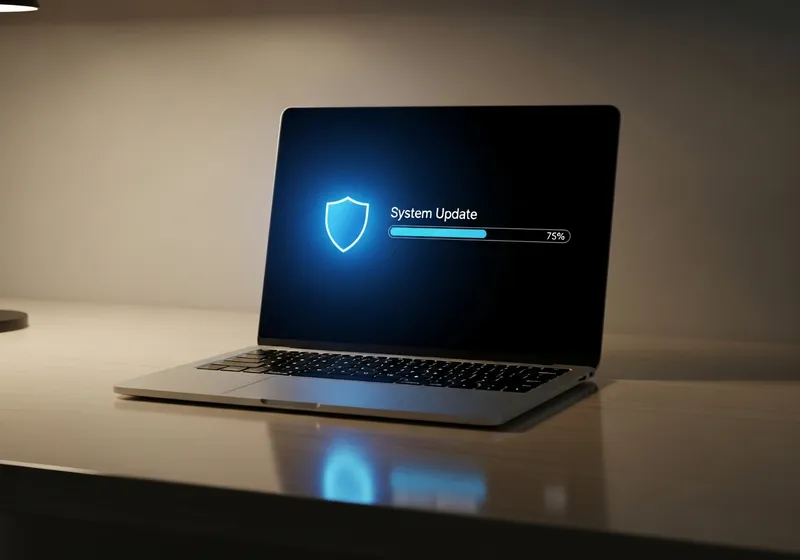
One habit still matters after automation: restart when prompted. Many patches only take effect after a reboot. An update that has downloaded but is waiting on a restart is protecting no one.
The devices everyone forgets
Phones and laptops nag you until you act. The rest of your home network stays quiet, which makes it the soft spot.
- Your Wi-Fi router is the front door to every device in your home. Log in to its admin page (the address and password are usually printed on a label underneath) and check for a firmware update. If the router offers automatic firmware updates, turn them on. If the manufacturer stopped releasing updates entirely, replace the router.
- Smart home devices such as cameras, video doorbells, plugs, and thermostats often ship with old software. Open each one's companion app and look for an update or firmware option.
- Smart TVs, streaming boxes, and game consoles all have a system update entry in their settings menus. A check every few months is enough.
How to spot a fake update warning
Because people know updates matter, scammers imitate them. A web page that suddenly announces your device is infected, your video player is outdated, or a download is required to continue is not an update. It is a delivery mechanism for malware. Legitimate updates never arrive through a pop-up on a random website.
The rule is simple: real updates come from inside. Your operating system's settings, the app itself, or the official app store on your phone. If a pop-up worries you, close the tab, then check for updates through the official channel. Nothing legitimate is ever lost by doing it that way.
Many of these fake prompts spread through malicious ads. If you rely on an ad blocker partly for protection, confirm it is actually doing its job with our ad blocker test.
Where to start tonight
You do not need to do everything at once. This sequence covers the highest-risk items first and fits into a single evening.
- Restart your browser so any pending update finishes installing.
- Run your phone's system update: Settings, then General, then Software Update on iPhone; Settings, then System on Android.
- Update your banking, email, and messaging apps, then switch on automatic app updates.
- On your computer, run Windows Update, or Software Update on a Mac, and enable automatic installation while you are there.
- Restart anything that has been asking for a restart.
- Log in to your router and check for firmware updates while the other devices install.
- Set a recurring calendar reminder to check the forgotten devices, the router, the TV, and the smart home gear once a season.
After tonight, automation carries most of the load. Your only ongoing jobs are restarting when asked and treating every unexpected "update now" pop-up with suspicion. That small routine, kept up consistently, defeats the attacks that catch most people.