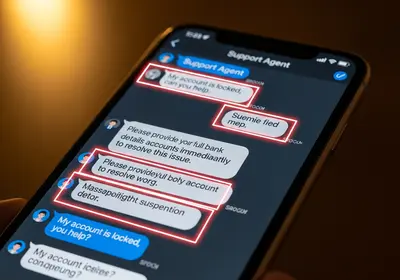
Parental controls sit in an awkward spot. Used one way, they are a guardrail: they block the worst of the web, stop accidental purchases, and protect a nine-year-old's sleep. Used another way, they are surveillance: hidden apps that copy every message, log every keystroke, and report every movement. Both often live in the same settings menu, but the outcomes are very different, and the difference is not technical. It is whether your child knows what is running and why.
The case for openness is practical, not just ethical. Controls your child knows about tend to keep working, because the child has less reason to defeat them. Controls discovered by accident tend to fail twice: the child finds a workaround, and you lose the thing that actually keeps kids safe online, which is their willingness to come to you when something goes wrong.
This guide covers which controls earn their keep at each age, where to find them on phones, consoles, and your home network, which products cross the line into spying, and how to set everything up so it reads as care instead of distrust.
Why secret monitoring backfires
Covert monitoring rarely stays covert. Kids compare notes at school, notice unusual battery drain and unfamiliar icons, and search for the exact app you installed. When the discovery happens, the lesson your child takes away is not that you care. It is that honesty gets punished and privacy is something adults take away.
Determined kids also route around blocks rather than obey them: a second account under a different name, a friend's phone, the browser version of a blocked app, an old tablet in a drawer. Surveillance does not stop risky behavior. It relocates that behavior to places you cannot see at all.
There is a security cost too. Covert monitoring apps work by uploading your child's messages, photos, and locations to a company's servers, and some of those companies have handled the data carelessly, including leaving it exposed to strangers. Installing one can mean handing your child's private life to a business you know nothing about.
Most important of all: the best safety mechanism a family has is a kid who tells you when something goes wrong. A child who knows every message is read, or who fears losing the phone, will hide the frightening stranger instead of reporting them.
The transparency rule
One rule keeps you on the right side of the line: never put anything on your child's device that you would be uncomfortable explaining to their face. Sit together while you turn features on. Show them the screen time dashboard, and explain each control in terms of what it is for. Purchase approval exists because in-app purchases are designed to be tapped without thinking. The content filter exists because some corners of the web are not for kids. Downtime exists because sleep matters more than one more video.
Then put it in writing. A short family media agreement works best when the rules run in both directions: if devices stay out of bedrooms overnight, that applies to parents too. Note what is filtered, what is visible to you, and what is private. Add a review date every six months where restrictions loosen if things have gone well. That last part matters most, because controls should work like training wheels, designed from the start to come off.
Match the controls to the age
Young children
At this stage the device is really yours, shared with them. Strict content filters, a locked-down child profile, downloads installed only by you, and purchases blocked entirely. There is no privacy question here and no need for anything covert, since you are usually in the room.
Tweens
The first personal device usually arrives in these years. Keep the filters and add structure: daily limits on the apps that eat the most time, a bedtime schedule, and approval requests for new downloads. Location sharing is reasonable at this age when it is mutual and visible, meaning everyone in the family appears on the same map, parents included, and the child knows the app is there.
Teens
Shift from restriction to consultation. Keep purchase approvals and scam protections, loosen content filters gradually, and stay out of private messages. Your goal with a teenager is not control, which fails anyway, but being askable: the parent they come to when a stranger gets strange, a photo starts circulating, or a scam catches a friend.
The settings worth using
- On iPhone: open Settings, tap Screen Time, and work through Downtime, App Limits, and Content & Privacy Restrictions. Turn on the option that requires a parent's approval for purchases and new downloads, and lock it all behind a passcode your child does not know.
- On Android: open Settings and look for Digital Wellbeing and parental controls. From there you can set per-app daily limits, a bedtime mode, content filtering for the app store, and required approval for purchases.
- On game consoles: every major console has family settings that cap spending, restrict voice chat with strangers, and limit play time. The spending cap is the quiet hero, because both impulse purchases and game-currency scams die at checkout.
- On your home network: a family-safe DNS service, set once in your router's admin page, filters adult content on every device in the house without installing anything on any of them. Announce it as a house rule, not a secret.
Whatever you enable, the pattern stays the same: visible features, an honest explanation, and a PIN that protects the settings from being switched off, not their existence from being known.
Controls that cross the line
Some products sold under the parental controls label are surveillance tools wearing a family sticker. We recommend skipping anything that does the following:
- Runs invisibly. If a product advertises that your child cannot detect it, it is stalkerware with better marketing, and it is built to betray trust by design.
- Copies private messages wholesale. Reading a teen's conversations also reads every friend on the other side of them, people who never agreed to be recorded.
- Logs keystrokes or records the screen. Keyloggers capture passwords along with everything else, which creates a security hole exactly where you meant to add safety.
- Tracks location secretly. Mutual, visible location sharing is a family choice. A hidden tracker is something else entirely, and it teaches a child that hidden trackers are what love looks like.
If you are worried enough to consider covert tools, treat the worry itself as the signal. A direct conversation, the school counselor, or a family therapist addresses the underlying problem. A hidden app only confirms your fears while destroying your credibility for the conversation that has to follow.
Teach the skills no filter can cover
Filters block categories of content. They do not block a con artist in a game chat, so part of the protection has to live in your child's head.
- Scam spotting. Kids are targeted with free game-currency generators, fake giveaways, and messages claiming their account will be deleted unless they act now. The mechanics are identical to the scams aimed at adults, so walk through how phishing works and how to spot it together, using examples from the games they actually play.
- Permission hygiene. When a new app lands on the phone, review together what it wants access to. Our guide to app permissions covers what to allow and what to revoke.
- Password habits. No sharing passwords with friends, even best friends, because friendships change faster than passwords do. Teens are old enough for a password manager such as Bitwarden or 1Password.
- Breach awareness. Once a teen has their own email address, run it through an email breach checker together. Seeing their own address in a real leak makes the advice concrete faster than any lecture.
When you find something worrying
Sooner or later a control surfaces something: a log full of blocked attempts, a purchase request for a questionable app, a conversation glimpsed over a shoulder. How you respond decides whether you ever get a second report.
- Separate curiosity from danger. A kid searching for things they heard at school is normal development. An adult asking your child to keep secrets, sending gifts, or pushing to move the chat to a private platform is a threat, and those three moves together are the classic grooming pattern.
- Punish deception, not disclosure. If your child brings you a problem, they should leave the conversation better off than they arrived. Confiscating the phone on the spot teaches them to hide the next problem.
- Escalate real threats. If an adult is soliciting your child, take screenshots, report the account to the platform, and contact law enforcement. That is not a family matter to manage quietly.
First steps this week
You do not need the full system by Friday. These five moves cover the biggest risks and set the tone for everything after.
- Turn on purchase and download approvals today: Settings, then Screen Time on an iPhone, or Settings, then Digital Wellbeing and parental controls on Android.
- Set a family-safe DNS service on your router, and mention at dinner that the home network now filters adult content.
- Sit down with your child, show them every control currently active on their device, and remove anything you cannot explain to their face.
- Write a short media agreement with at least one rule that binds the parents too, and put a review date on the calendar.
- Say the sentence that makes all of it work: if anything scary happens online, tell me, and you will not lose your phone for being honest.