A tech support scam is a con in which someone convinces you that your computer has a serious problem it does not actually have, then charges you to fix it, takes remote control of it, or both. The problem is invented. The virus alert is a web page. The "certified technician" is a salesperson reading a script in a call center. Everything that follows, the scan, the diagnosis, the fee, is theater built on one false premise.
The scam reaches you in one of two ways. Either it comes to you, as a frightening popup in your browser or an unexpected phone call, or you go to it, by searching for a support phone number and landing on a fake one. Both roads end at the same place: a stranger on the phone asking to connect to your computer.
One rule cuts through nearly every version: no real security warning ever includes a phone number. Your operating system, your browser, and a reputable antivirus will block a threat or quarantine a file quietly. None of them will ever ask you to call anyone. The moment an alert wants a phone call, you are looking at a scam.
How the scam works, start to finish
Tech support scams are close cousins of phishing, and they follow the same three-part playbook, just stretched out over a phone call instead of packed into an email.
- The scare: something makes you believe your machine is infected or hacked. A blaring full-screen alert, a robocall about a renewed subscription, a caller who claims your computer is "sending errors" to their monitoring center.
- The show: a "technician" connects to your computer remotely and produces evidence of the infection. The evidence is always fake, but it looks convincing on your own screen.
- The ask: money. A one-time repair fee, a multi-year support plan, or, in the nastier versions, direct access to your online banking.
Break the chain at any point and the whole scheme collapses, which is why the most effective defense is simply hanging up or closing the tab.
The fake virus alert in your browser
The most common opening move is a page that takes over your browser. It goes full screen, plays an alarm sound or a robotic voice, shows a fake scanning animation, borrows the logo of a well-known software company, and warns that your banking passwords and photos are being stolen at this very moment. A phone number sits in the middle of it all, usually labeled something like "Windows Support."
Here is the fact that defuses it: a web page cannot scan your computer. It has no access to your files, your passwords, or your photos. That alert is an ad, no more capable of detecting a virus than a billboard. You usually land on one through a mistyped address, a malicious ad, or a sketchy download site.
The page is built to be hard to close, with full-screen mode hiding your controls and dialog boxes that reappear when dismissed. Do not call the number, and do not click anything inside the page, including its own "Close" or "Cancel" buttons. Instead:
- On Windows: press Ctrl+Shift+Esc to open Task Manager, select your browser in the list, and click End task. Holding the Esc key for a few seconds can also exit full-screen mode so you can close the tab.
- On a Mac: press Option+Command+Esc, select the browser, and click Force Quit.
- When you reopen the browser, decline any offer to restore your previous tabs, or the alert will simply load again.
Seeing the popup does not mean you are infected. Unless you downloaded a file and ran it, the page itself installed nothing. Close it, and it is gone.
The phone call versions
Not every version starts in a browser. Three phone-based variants show up constantly.
The cold call. Someone claims to be calling from "Windows support" or your internet provider because your computer has been "sending error reports" or "spreading viruses on the network." No company monitors home computers this way, and nobody can see errors on your machine from outside. No legitimate company will ever call you first about a virus. That rule alone ends the conversation.
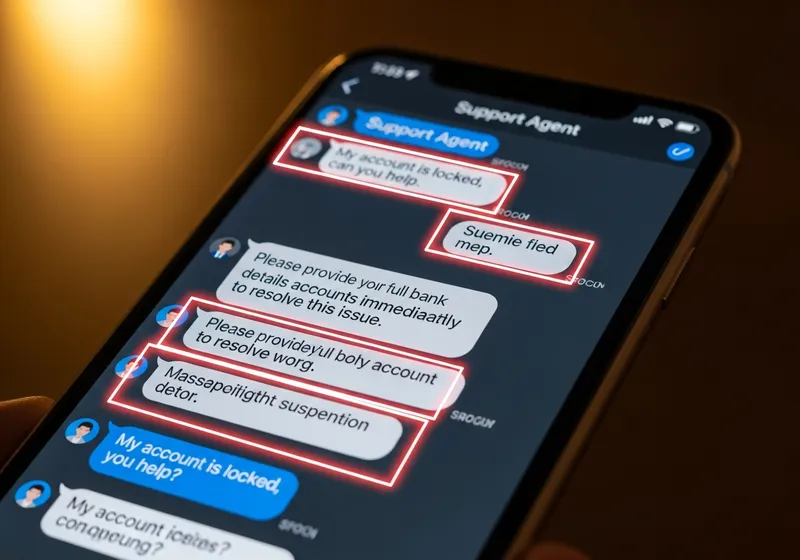
The refund scam. An email or robocall says your antivirus subscription has auto-renewed for several hundred dollars, and gives a number to call if you want to cancel. You never had the subscription; the charge is fiction. Calling to dispute it puts you on the phone with the scammer, who "processes your refund" by asking for remote access to your computer and your banking login.
The poisoned search result. You search for the support number of a printer, router, or airline, and a scam ad sits at the top of the results with a fake number. When you need a real support number, get it from the sticker on the device, the printed manual, your billing statement, or the company's official site typed directly into the address bar, never from a search ad.
What happens if you let them in
If you call, the "technician" will ask you to install a remote access app such as AnyDesk, TeamViewer, or UltraViewer. These are legitimate tools that real IT departments use, which is exactly why scammers like them: nothing about the download looks suspicious.
Once connected, the show begins. A favorite trick is opening Event Viewer, a built-in Windows log that always contains harmless warnings and errors, and presenting those routine entries as proof of infection. Another is running a network command and declaring that the listed connections are "foreign hackers inside your system." Some scammers simply type "virus detected" into a command window and present it as scan results.
Then comes payment. Scammers push gift cards, wire transfers, and cryptocurrency because those payments are nearly impossible to reverse. No real company accepts gift cards as payment for anything. That sentence alone should end any call where it comes up.
The most damaging version is the refund overpayment trick. The scammer has you log into your online banking while they are connected, fakes a transfer by editing the numbers displayed on the page, then claims they accidentally refunded you too much. They ask you to return the difference by gift card or wire. No money ever entered your account; the balance on the screen was just edited text. Meanwhile, they have watched you type your banking password.
Red flags that end the call
Any one of these is reason enough to hang up or close the tab:
- Unsolicited contact, by phone, popup, email, or text, about a virus or a hacked computer.
- A phone number inside a security warning.
- A request to install remote access software on a personal computer.
- Payment requested by gift card, wire transfer, or cryptocurrency.
- Being asked to log into your bank while someone is connected to your machine.
- Instructions to keep the call secret from your bank, your family, or anyone who asks.
That last one matters. Scammers coach victims to lie to bank tellers about cash withdrawals and gift card purchases, because they know a teller will recognize the scam. Secrecy is never part of real support.
If a scammer already got in
Speed matters more than embarrassment. These scams work on smart, careful people every day. Work through this list in order.
- Hang up and disconnect. Turn off Wi-Fi or unplug the network cable so the remote session dies immediately.
- Remove the remote access app. On Windows, open Settings, then Apps, then Installed apps, and uninstall anything you installed during the call, such as AnyDesk or TeamViewer. On a Mac, drag the app from Applications to the Trash.
- Run a full scan. On Windows, open the Windows Security app, choose Virus & threat protection, then Scan options, then Full scan. Scammers sometimes leave a password stealer behind.
- Change your passwords from a different device. Start with your email account and any account you opened while they were connected, especially banking. If they watched you log in, treat those accounts as compromised and follow our account recovery guide.
- Call your bank. If you shared card details, logged into banking, or sent money, call the number on the back of your card, report the fraud, and ask about disputing the charges.
- If you paid by gift card, call the card issuer right away with the card numbers and receipts. Recovery is not guaranteed, but fast reporting sometimes freezes the balance.
- Report it to the FTC at reportfraud.ftc.gov. Reports help shut down the call centers and the phone numbers they depend on.
Make yourself a harder target
A few minutes of preparation, done while you are calm, is worth more than any amount of vigilance in the middle of a scare.
- Decide your rule now: any unexpected call, popup, or voicemail about a computer problem gets hung up on or closed, no exceptions and no arguing.
- Practice the escape once so it is automatic: Ctrl+Shift+Esc and End task on Windows, Option+Command+Esc on a Mac.
- Save the real support numbers for your bank, internet provider, and devices in your contacts now, so you never have to search for one under pressure.
- Check whether your email address appears in known breaches with our free email breach checker. Scam call lists are often built from leaked data, and a breached address means more convincing calls are likely.
- Talk to the people in your life who get these calls most, especially older relatives. Agree on one habit: nobody lets anyone into their computer without calling you first.