Why Your Email Account Is So Important
Think about how many online accounts you have. Now think about what they all have in common: they are linked to your email address. If someone gains access to your email, they can reset passwords, intercept verification codes, and take over your other accounts one by one.
Your email account is the master key to your online life, which makes it the single most important account to secure.
Start with a Strong, Unique Password
Your email password should be one of the strongest passwords you have. It should be:
- At least 12 characters long. Longer is better.
- Unique. Never used on any other website or service.
- A mix of words, numbers, and symbols if possible. A passphrase like CloudyMorning$Pancakes42 is both strong and memorable.
If your email password is the same as any other account, change it now. This is the single most impactful thing you can do for your email security.
Enable Two-Factor Authentication
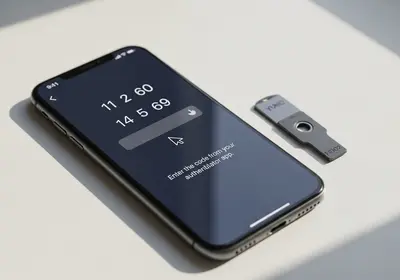
Two-factor authentication (2FA) adds a second step to your login. Even if someone knows your password, they cannot access your account without the second factor, usually a code from an authenticator app or a text message.
All major email providers support 2FA. Look for it in your account's security settings and turn it on today.
Set Up Recovery Options
Recovery options are how you get back into your account if you forget your password or lose access. Make sure yours are up to date:
- Add a recovery phone number that you currently use.
- Add a secondary email address as a backup.
- Save any backup codes your email provider gives you in a secure location.
If your recovery options are outdated, like an old phone number or an email you no longer use, update them right away.
Check for Unauthorized Access
Most email providers let you see recent login activity. Check this periodically:
- Look for logins from unfamiliar locations or devices.
- Check the times of recent logins to make sure they match when you actually used your email.
- If you see anything suspicious, change your password immediately and review your security settings.
Review Connected Apps and Services
Over time, you may have granted various apps and services access to your email account. These could include calendar apps, productivity tools, or services you signed up for years ago. Review this list regularly:
- Remove any apps or services you no longer use.
- Revoke access for anything you do not recognize.
- Be cautious about granting email access to new apps. Only do so if you trust the developer and understand why the app needs it.
Stay Alert to Phishing
Since email is where phishing attacks most commonly arrive, staying alert is essential. Be skeptical of unexpected messages asking you to click links, download attachments, or provide your login credentials. When in doubt, go directly to the website instead of clicking a link in the email.
Taking 15 minutes to secure your email account is one of the best investments you can make in your online safety.