A strong password has three qualities: it is long, it is hard to predict, and it protects exactly one account. Length does most of the work. A password built from four or five random words, often called a passphrase, beats a short scramble of symbols both for security and for your memory, and it is the method this guide recommends for the small number of passwords you actually need to keep in your head.
Everything else should not live in your head at all. A password manager can invent and store a different random password for every site you use, which quietly solves the reuse problem behind most account takeovers. Below is the passphrase method step by step, the popular habits that undo good passwords, and a short list of fixes you can finish tonight.
What Makes a Password Strong
Attackers almost never sit and guess by hand. They run software that tries huge lists of leaked passwords, dictionary words, and predictable variations, then falls back to raw brute force, testing combinations one after another. Your password's only job is to make that process take so long that it is not worth running.
Length matters more than anything else. Every character you add multiplies the number of combinations an attacker has to try, so difficulty climbs quickly as a password grows. A short password with clever symbols falls long before a genuinely long one made of plain words.
Unpredictability comes second. Cracking software already knows the patterns people love: a capital letter at the start, a number and symbol at the end, a word tied to your life. Randomness is what starves those shortcuts.
Uniqueness is the third requirement, and the one most people skip. The best password in the world does you no good if the same one guards ten accounts and one of those sites gets breached.
The Passphrase Method, Step by Step
A passphrase is a password made of whole words. Done right, it is long, random, and surprisingly easy to hold in memory. Here is how to do it right.
- Pick four or five words at random. Random is the key word. Do not build a sentence about your life or quote something you love. Open a book to arbitrary pages, roll dice against a printed word list, or let our password generator pick the words for you.
- Keep the words unrelated. Something like "sunset beach vacation ocean" is one idea wearing four costumes, and cracking tools test themed combinations. "copper walrus mattress violin" gives an attacker nothing to grab onto.
- Add separators and one twist. Join the words with hyphens or periods, capitalize a letter somewhere unexpected, and work in a digit if the site demands one. Something shaped like copper-walruS7-mattress-violin costs you very little extra memory for a large gain in strength.
- Then retire that example. Any passphrase printed in an article, including this one, ends up in cracking dictionaries. Yours has to be yours alone.
To remember your passphrase, build a mental picture. A copper walrus playing a violin on a mattress is absurd, and absurd images stick. Type it a few times the day you create it, and it will usually settle into muscle memory within a week.
How Long Is Long Enough
For anything you type by hand, aim for at least four words, which usually lands you past sixteen characters once separators are in. Five words is better for your most sensitive accounts. If a site imposes a short maximum length, that is a limitation on their end; get as close to the cap as you can and make sure that account has a second factor turned on.
Tricks That Feel Clever but Are Not
Some habits feel like security while adding almost nothing. Cracking tools are written by people who know exactly how humans cut corners, and every shortcut below is baked into their software already.
- Letter swaps. P@ssw0rd and its cousins are tested automatically. Swapping a for @ or o for 0 is a rule attackers apply to every word in the dictionary in a fraction of a second.
- Keyboard walks. qwerty, 1qaz2wsx, and every other pattern your fingers can trace across the keys sit near the top of the first list an attacker tries.
- The obligatory tail. A common word with a digit and an exclamation mark stapled to the end is the single most predictable move in password history.
- Personal details. Pet names, kids' birthdays, favorite teams, and street names are one social media scroll away from anyone who wants them.
- A base password with a suffix. Using the same core word plus each site's initials means a single breach reveals your pattern for everything else.
One Account, One Password, No Exceptions
When a website gets breached, the stolen email and password pairs are sold, traded, and fed into automated tools that try them against every major service. This is called credential stuffing, and it is why reuse is the deadliest password habit. The attacker never has to crack anything. You already handed over the key; they are just walking it from door to door.
Your email account deserves your best passphrase, because nearly every password reset on the internet flows through an inbox. Whoever controls your email can take over most of your other accounts in minutes. Give your banking logins and any account you use to sign in to other services the same level of care.
Let a Password Manager Do the Remembering
You cannot memorize a unique, strong password for every account you have, and you should not try. A password manager stores all of them in an encrypted vault behind one master passphrase, which is the one place the method above matters most.
Reputable options include Bitwarden, 1Password, and KeePass. Your devices also ship with built-in managers: on an iPhone, open Settings and look for Passwords, or use the dedicated Passwords app on newer versions of iOS. On Android, go to Settings, then Passwords and accounts. The built-in options are fine for staying inside one ecosystem; a dedicated app travels better if you mix platforms.
Once a manager holds your logins, stop inventing passwords for individual sites. Let it generate long random strings, twenty characters or more, since you will never type them yourself. Save your memory for three things only: your master passphrase, your device sign-in, and your email password, so you can recover the rest if a device dies.
While you are at it, make sure the device holding your vault locks itself. On Windows, open Settings, then Accounts, then Sign-in options to set a PIN or turn on Windows Hello. On your phone, a six-digit passcode or a fingerprint keeps a lost device from becoming a lost vault.
Find Out If Your Passwords Have Already Leaked
A strong password can still be undone upstream. If a site stored your password badly and then got breached, your careful work is already circulating, and no amount of cleverness on your end changes that. This is worth checking rather than guessing.
Run your important passwords through our password breach checker, which tests them against known breach data without storing what you type. You can also look up your email address on Have I Been Pwned to see which breaches have included your accounts over the years.
If a password shows up in a breach, change it everywhere it was ever used, starting with your email. Assume automated tools are already trying it against popular services, because they are.
Back It Up with a Second Factor
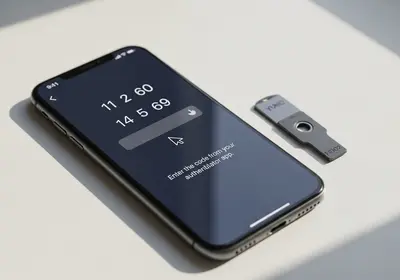
Two-factor authentication means a stolen password alone is not enough to get in. After you enter your password, the account asks for a code from your phone or a tap on a trusted device. You will find the setting in the security section of almost any major account, usually under names like two-step verification or login approvals.
An authenticator app that generates codes on your phone is stronger than codes sent by text message, since text messages can be intercepted or redirected. Stronger still are passkeys, a newer sign-in method built into iPhone and Android that uses your fingerprint or face instead of a password. Where a site offers a passkey, take it.
Turn on a second factor for your email first, then banking, then everything else that offers it. It is the single best backstop for the day one of your passwords fails despite your best efforts.
Where to Start Tonight
You do not need to fix every account in one sitting. Do these in order, and stop when you run out of steam. Even the first two steps put you ahead of most people.
- Create a fresh passphrase for your email account: four or five random words, separators, one twist.
- Turn on two-factor authentication for that same email account.
- Install a password manager and protect it with a second passphrase you build the same way.
- Update your banking passwords next, letting the manager generate and store them.
- Check your most-used passwords against known breaches and replace any that appear.
- From now on, whenever you sign in somewhere with an old, reused password, take the extra minute to let the manager replace it.
Within a few weeks of casual effort, every account you touch regularly will have its own long, random password, and you will only be remembering three of them. That is the entire goal, and it is well within reach.