A firewall is a filter that sits between your device and the internet, inspecting traffic and blocking connections you never asked for. Your computer requests things constantly: web pages, email, app updates. A firewall lets those requests out, lets the expected replies back in, and quietly drops everything that shows up uninvited.
Here is the short answer to the second half of the question: yes, you need one, and you almost certainly already own two. Windows ships with its software firewall turned on by default, macOS includes one that stays off until you enable it, and the router your internet provider gave you includes a hardware firewall that covers every device in your home.
So the real work is not buying anything. It is confirming that the firewalls you already own are switched on, understanding what they do and do not protect against, and deciding whether your household needs a step up. This guide walks through all three.
What a firewall actually does
Everything that travels over a network moves in small chunks of data called packets. Each packet is labeled with where it came from, where it is going, and which port it wants to use. A port is just a numbered channel on your device: web browsing uses one channel, email another, file sharing another.
A firewall reads those labels and compares them against a list of rules. Traffic that matches an allowed rule passes through. Traffic that does not match gets dropped, usually with no reply at all, so to an outside scanner your device looks like empty space.
Direction matters here. Inbound filtering blocks connection attempts that outsiders make toward your device. Outbound filtering controls which of your own apps are allowed to reach the internet. Home firewalls focus mostly on inbound traffic, because that is where uninvited visitors come from.
The two firewalls you already have
A software firewall runs on the device itself. The Windows firewall and the macOS firewall are both software firewalls. They protect that one machine wherever it goes, including on coffee shop Wi-Fi, and they can make per-app decisions, like allowing your video call software to accept connections while blocking everything else. The big difference between the two is the default: Windows turns its firewall on from the first boot, while macOS leaves its firewall off until you flip the switch yourself.
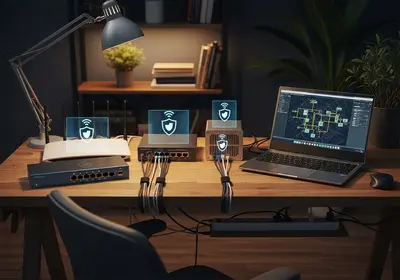
A hardware firewall is built into your router. It works by blocking unsolicited incoming connections from the internet before they ever reach your laptop, phone, or TV. When a device inside your home starts a conversation, the router remembers it and lets the reply through. When something outside tries to start a conversation with your network out of nowhere, the router discards it.
That matters more than most people realize. Your router holds your home's public IP address, the one address the wider internet can see, and a constant stream of automated scanners probes addresses like yours around the clock looking for open doors. You can see the address your network presents to the world with our IP checker. The router firewall is the reason those scans hit a wall instead of hitting your devices.
The two layers back each other up. The router guards the border of your network, and the software firewall guards each device, which is exactly what you want if a guest's infected laptop ever joins your Wi-Fi.
How to check yours in under a minute
On Windows, press the Start key and type Windows Security, then open the Windows Security app and select Firewall & network protection. You should see your domain, private, and public networks each listed with the words "Firewall is on." If any of them says off, click it and flip the toggle back on. The whole check takes under a minute.
On a Mac, expect to find the firewall off, because macOS does not enable it out of the box. Open System Settings, choose Network, then Firewall, and turn the switch on. Older versions of macOS keep it under System Preferences, then Security & Privacy, on the Firewall tab. Turning it on has no noticeable effect on everyday browsing, so there is no good reason to leave it off.
For your router, open a browser and go to 192.168.1.1 or 192.168.0.1, then sign in with the admin credentials printed on the router's label. Look for a Security or Firewall section and confirm the firewall is enabled. On nearly every home router it is on by default and cannot easily be switched off by accident.
Phones are the easy case. iPhone and Android do not expose a firewall setting because the operating systems sandbox every app, and mobile carriers block unsolicited inbound traffic on their end. There is nothing for you to check there.
What a firewall stops, and what it cannot
A firewall is excellent at blocking uninvited network traffic. That includes automated port scans, worms that spread by probing for vulnerable services, attempts to reach remote desktop or file sharing features you forgot were enabled, and strangers poking at devices on your network.
It is only fair to be clear about the limits, because most modern attacks walk in through the front door rather than picking the lock:
- Phishing. If you click a link in a fake email and type your password into a lookalike site, the firewall sees ordinary outbound web traffic and lets it through.
- Malware you invite in. A malicious download that you run yourself was, from the firewall's point of view, a file you requested.
- Weak or reused passwords. If an account password leaks in a data breach, attackers sign in from anywhere, no contact with your home network needed.
- Tracking and intrusive ads. Firewalls do not filter trackers or ads on websites you choose to visit.
So think of the firewall as one layer: strong against network intrusion, blind to deception. It works alongside good passwords, software updates, and healthy skepticism. It does not replace them.
Do the built-in firewalls cover you?
For a typical household, yes. If your network is a mix of laptops, phones, a smart TV, and a game console used for browsing, streaming, email, and schoolwork, the router firewall plus each computer's built-in firewall, once it is switched on, is a solid setup. Adding a third-party firewall on top of that rarely improves anything, and it often creates confusing duplicate permission prompts.
When to consider more protection
A few situations justify going further:
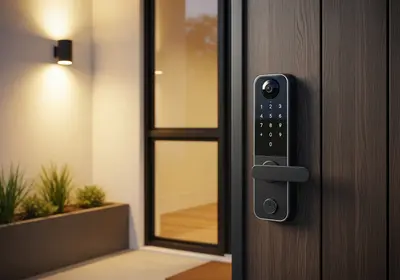
- A house full of smart home devices. Cameras, doorbells, smart plugs, thermostats, and voice speakers are all small computers, and many stop receiving security updates long before you stop using them. The more of them you own, the stronger the case for additional firewall protection, such as a router that supports a separate guest network for smart devices, or a dedicated firewall appliance that can wall them off from your computers.
- You run a business from home. Client records, invoices, and remote access to work systems raise the stakes, and in some fields they carry legal obligations.
- You host anything. A game server, a media server reachable from outside, or any port forwarding rule punches a deliberate hole in the router firewall, and every hole deserves scrutiny.
- You expect a determined attacker. Most people face only automated scanning, but if someone might target you specifically, a firewall with intrusion detection and logging is worth the setup time.
Habits that keep your firewall useful
Firewalls fail through human decisions far more often than technical ones. A few habits keep yours doing its job:
- If you disable the firewall to troubleshoot a connection problem, set a reminder to turn it back on. Better yet, leave it on and fix the actual rule.
- When an app asks for permission through the firewall, allow it only if you recognize the app and installed it on purpose. When in doubt, deny. You can always allow it later.
- On Windows, mark unfamiliar networks as public. The public profile applies stricter rules, which is exactly what you want at an airport or a hotel.
- Update your router's firmware occasionally through its admin page. Firmware updates patch the firewall itself.
- Change the router's default admin password to something long and unique, since anyone who signs into the router can weaken or disable the firewall. Our password generator makes a strong one in seconds.
Where to start tonight
Here is the full checkup, in order. Most people finish it in one sitting:
- Open the Windows Security app on each PC and confirm the firewall is on, then open the firewall settings on each Mac and turn the firewall on if it is off.
- Sign into your router, confirm its firewall is enabled, and change the default admin password if you never have.
- While you are in the router settings, check for a firmware update and install it.
- Review any port forwarding rules and delete the ones you no longer use.
- If you own more than a handful of smart home devices, enable the guest network and move them onto it.
- Skim your computer firewall's list of allowed apps and remove anything you do not recognize.
None of this requires new software or new spending. The firewall question mostly answers itself: you need one, you already own one, and after tonight you will know every layer is switched on and working.