Your Phone Is Your Most Personal Device
Your smartphone contains your contacts, messages, photos, banking apps, email, and more. If it fell into the wrong hands unlocked, someone would have access to almost your entire digital life. The good news is that your phone has built-in security features that take just a few minutes to set up.
Lock Screen and Biometrics
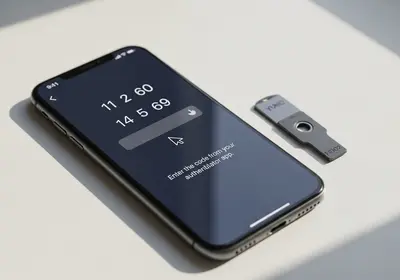
If you do not already have a lock screen, set one up now. A six-digit PIN is better than a four-digit one, and a passphrase is even better. Enable fingerprint or face recognition if your phone supports it. Biometrics make unlocking fast while keeping your phone secure.
Enable Find My Device
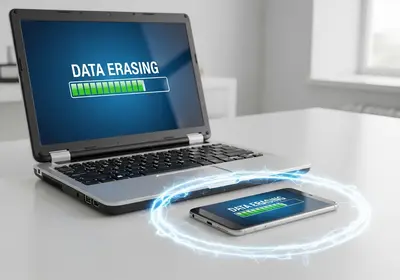
Both major phone platforms offer a feature that helps you locate your phone if it is lost or stolen. You can see its location on a map, make it ring even if it is on silent, lock it remotely, or erase all your data as a last resort. Make sure this feature is turned on before you need it.
Keep Apps Updated
App updates are not just about new features. They often fix security vulnerabilities. Turn on automatic app updates so you always have the latest and most secure version. The same goes for your phone's operating system. Install updates promptly when they become available.
Audit Your App Permissions
Take a few minutes to review which apps have access to your camera, microphone, contacts, and location. Go to your phone's settings and look at permissions for each app. If a note-taking app has access to your camera and microphone, that probably is not necessary. Remove permissions that do not make sense for what the app does.
Encrypted Backups
Back up your phone regularly so you do not lose your data if something goes wrong. Make sure your backups are encrypted. This means even if someone accesses your backup files, they cannot read your data without your password. Most phones offer an encrypted backup option in their settings.
Set a SIM PIN
A SIM PIN adds a layer of protection to your phone number. Without it, someone who takes your SIM card could put it in another phone and receive your calls and texts, including two-factor authentication codes. Setting a SIM PIN takes less than a minute and adds meaningful protection.
A Secure Phone in Minutes
You do not need any special apps or technical knowledge to make your phone more secure. These built-in features are available on every modern smartphone, and setting them up takes less time than a coffee break. Start with the lock screen and work your way down the list.